Avid Assistant Practical Project : Foundation
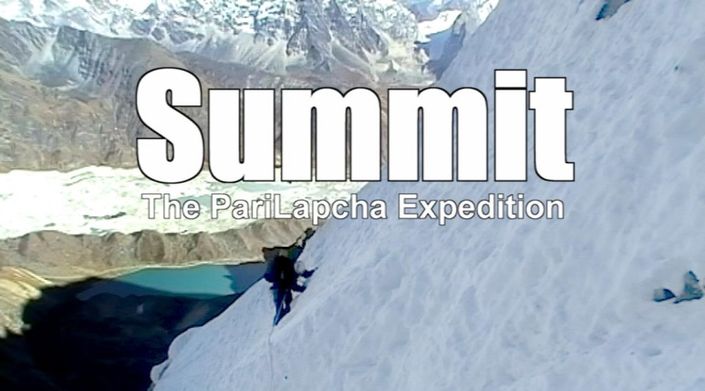
This is the ideal course for people wanting to practice Assistant skills with actual footage and tasks. This course follows a low-budget, travel diary / documentary-style project that used a single camera over a 3 week period of shooting.
Enroll in CourseThe FREE Avid Assistant Foundation course was created to help people, with little or no experience, to get to grips with some of the key skills you need when first starting out as a Media Composer assistant.
In order to help students practice the skills outlined in the free course, I realized it would be useful to have an organized practical project for them to practice some of the skills we discuss.
This course gives you access to raw footage and some production notes so you can simulate an assistant's roles when starting out on a small to medium-sized project. You’ll touch on the key areas that are involved in managing an entire production pipeline and the processes that any assistant would be expected to understand and apply.
WHAT SKILLS WILL YOU PRACTICE?
Working in the post-production stage is more than just working inside the editing platform all the time. There are a number of key skills that you should practice outside of the edit system as much as within it, as well as having an understanding of where we sit in a production's lifespan. This is an entry level project but it allows you to carry out the practical steps when starting out assisting with Media Composer.
On this foundation practical course, you will...
- Read and work to a Technical brief.
- Use simple shot logs and production notes.
- Ensure camera files are safely backed up.
- Creating and managing an Avid Project.
- Ingesting camera footage.
- Building string outs.
- Creating viewing files.
- Ensure the Avid Project is backed up.
Each section has supporting videos and exercises that you should complete to get to grips with the processes involved.
IS THIS COURSE FOR ME?
This project is designed to help students who have little to no experience of working with Avid but more importantly little to no experience of working under the demands and needs of a production.
To help focus on the common processes you will encounter on a project we have kept the technical demands of the project to a minimal but realistic level so as not to overwhelm students while at the same time allowing them to experience the demands of a traditional small documentary style project.
This is a simple single camera shoot from a ‘travel diary’ style documentary following 2 climbers in Nepal.
If you are staring out and have no experience of what an Assistants initial ingesting processes demand then this course is for you!
WHAT DO I GET IN THE COURSE?
- 3 hours of low res source video footage.
- Camera Rushes Reports and Notes.
- Production notes.
- Technical Brief documentation..
- Step by step videos for ALL processes.
- LIFETIME ACCESS TO THE COURSE
Get started now!
WHAT DO I NEED?
You DO need access to a Media Composer system.
The good news is you don't have to buy it just yet. Download Media Composer and run it as a fully working system for 30 days. At the end of the 30 days, you will then get the option to keep it as Avid Media Composer | First which is free, or pay for a subscription! While Media Composer | First has certain limitations it still has the same interface as the professional Media Composer, as well as most of its functionality!
The course has been written around Avid Media Composer v2018.x AND v2023.x, but the practices shown here can still be applied to even earlier Media Composer systems
We recommend that you also have a small pocket disk (or even a 64GB USB Stick) to hold your downloaded content. That said, to help keep costs as low as possible for students, it is still fine to use just the internal drive of your computer.
Your Instructor
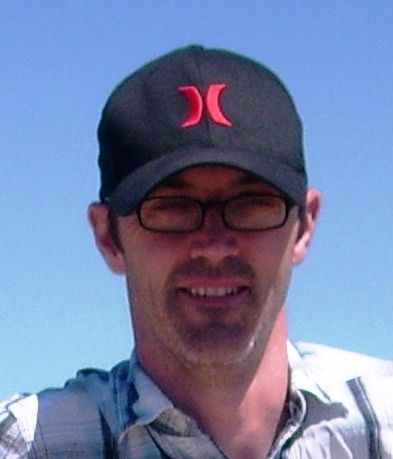
Andrew has worked with Post Production and Broadcasters for the last 25 years working for the likes of the BBC and ITV as well as working for Avid Technology as a Media Composer product specialist.
Andrew has trained Editors all around the world in effective use of Media Composer as well as Avid's shared storage solutions such as Avid | ISIS and Avid | NEXIS.
His workflow designs have been used from the smallest low budget Indy productions to some of the largest Newsroom workflows around the world.